Choose a product
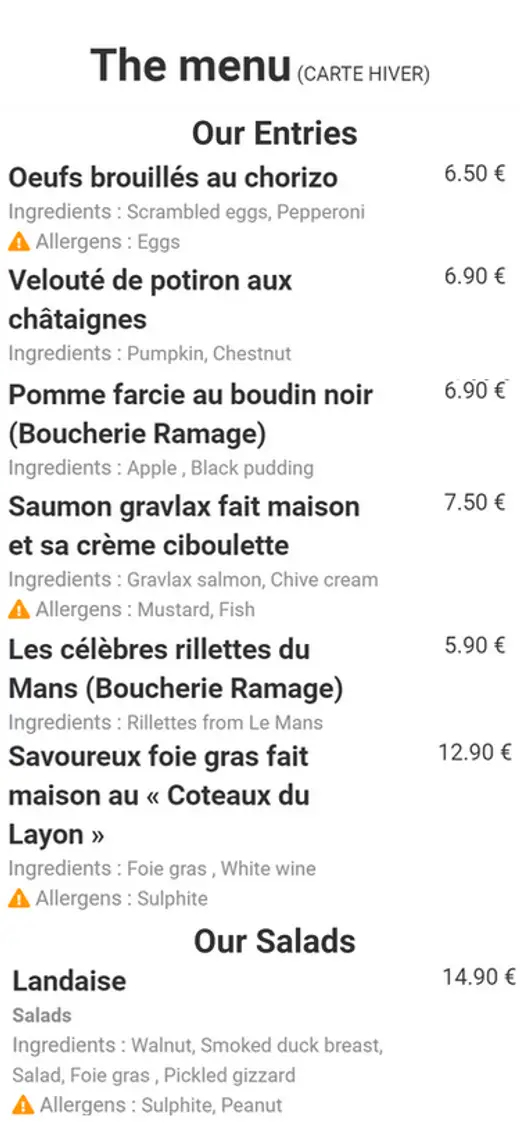
Open a section, compare options and view one item. Names, prices, descriptions and photos should be readable without effort.
Demo
Browse sections, open a product and check mobile readability before creating your own digital menu.
What to test
Open the demo and imagine you have just scanned a QR code at a table, counter or reception desk. There is nothing to install: the menu opens directly in the browser.
Check how quickly you can reach a section, compare prices and understand a product before ordering. The interactive content loads only when you request it.
External content opens inside this frame.
Three useful scenarios
Open a section, compare options and view one item. Names, prices, descriptions and photos should be readable without effort.
Look for an allergen, diet or product detail. The goal is to answer before a guest needs to ask a member of staff.
Think like an international visitor discovering the offer. A menu they understand helps them choose more independently and with confidence.
Demo questions
No. It is a public example designed to let you explore the guest experience without creating an account.
No. It also opens on desktop and tablet, but the interface is designed first for the phone used after a QR-code scan.
Yes. Free lets you create one menu, add up to 25 products and check the result with your own information.