Reference guide
Digital menus for restaurants: understand, compare and choose
A digital menu is a mobile page opened from a QR code or link. Choose it by checking how easily content can be updated, mobile readability, allergen handling, required languages and whether the printed QR-code address remains stable.
What is a digital restaurant menu?
A digital menu replaces or complements the printed menu with a page designed for a phone. Guests access it on their own device. Depending on the solution chosen, the page can present sections, products, prices, allergens, photos and several languages.
A PDF menu opened from a QR code is also digital, but it remains a fixed document. An interactive menu structures information into separate, editable elements, so a single product can be corrected without re-exporting the entire document.
- A PDF menu is updated by replacing the whole file, which suits a menu that changes rarely and needs a carefully controlled layout.
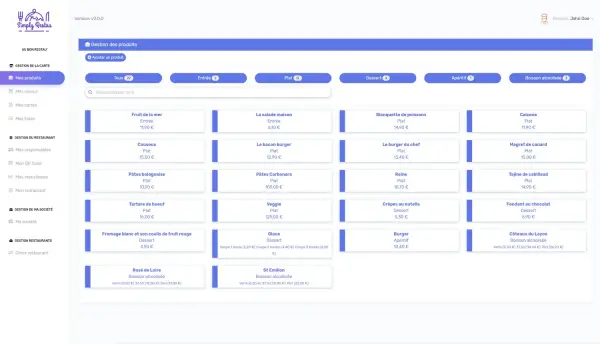
- An interactive page is updated by editing only the elements concerned, which suits prices, availability, languages or allergens that change often.
- A printed menu on its own is updated by reprinting, which suits a venue's main physical support or a fallback solution.
Which criteria should you check before choosing?
An attractive demonstration is not enough on its own. Test a real content update, check how it renders on several different phones, and check the way back to the menu from deep inside a section.
- The menu stays readable on a narrow screen without needing horizontal zooming.
- The public link stays exactly the same after a content update.
- Allergens are visible and correctly attached to the right products.
- The languages offered genuinely match the guests the venue actually welcomes.
- Someone at the venue is clearly responsible for making updates.
- The total price takes into account the product, menu and language limits the venue actually needs.
How should you roll it out?
In SimplyRestau, a venue can start with one menu and a limited number of products on the Free plan. Needs such as English, scheduled seasonal menus or additional languages then point the venue towards the Essential or Pro plan.
- List every section, product, price, allergen and language that needs to be published.
- Create a first version and have it reviewed by both the kitchen and the front-of-house team.
- Test the printed QR code from the exact locations planned inside the venue.
- Keep an alternative available for guests who do not want to use their own phone.
- Name the person responsible for correcting the menu and decide when changes are checked.
How do you compare the real cost of solutions?
Compare the subscription cost with the functions the venue actually needs, not with the length of a commercial feature list. Add the time needed for initial data entry, preparing translations, producing printed materials and maintaining the data over time.
SimplyRestau lists three plans: Free, Essential and Pro. Current prices and limits are kept centralised on the pricing page; this guide does not duplicate them, in order to avoid diverging information.
Which mistakes should you avoid?
- Using a QR code that points directly at a file that is bound to change.
- Publishing a menu without checking prices and allergens together with the team.
- Adding more languages without a shared, agreed update process.
- Removing every alternative when some guests cannot or do not want to scan a code.
- Measuring scans alone, without checking whether visitors actually find the information they were looking for.
Frequently asked questions
Does a digital menu mean the paper menu has to be removed?
No. Both supports can coexist. The venue chooses its own organisation and keeps an alternative suited to its guests.
Do you need to change the QR code every time you make a change?
No, not if the QR code points to a stable address whose content is updated behind it. This is a point worth checking carefully before printing.
Sources and review
Try SimplyRestau with your own menu
Start with a free menu and check the mobile result before choosing a plan.